
Zoom Meetings
cancel
Showing results for 
Search instead for 
Did you mean: 
Weekly Leaderboard

What are Zoom Meetings?

Zoom Meetings are a simplified video conferencing solution for an optimized virtual meeting experience. Explore the Zoom Community's Recent Activity below to join the Meetings conversation and connect with other members. If you're still looking for support, browse our Zoom Meetings support articles or start a new discussion below!

Recent Activity

Recording Conversion got interrupted when my wifi failed

While zoom was converting my recording, my wifi got cut off and so the conversion stopped completely. Can I still continue the conversion? I save it on my local computer. The meeting was a lecture so it is kind of important to all the students

reply-icon Latest Reply - 

Signing into Zoom on Android Zoom App

HelloNot sure if posting in the right area. If it needs to move please do.I have been on and off zoom user for about 2 years as the need shows up. But.... up till now my PC or laptop has gotten me through. Now there are some meetings I want to attend... Show more

Hello

Not sure if posting in the right area. If it needs to move please do.

I have been on and off zoom user for about 2 years as the need shows up. But.... up till now my PC or laptop has gotten me through. Now there are some meetings I want to attend and I am not at home or work. I just loaded the app on my AO2s android. It states it is working but when I try to sign in with the correct password, after about a minute I get failed to connect with no error code that I see?

How do I go about getting signed in prior to tomorrows meeting if I am not at home?

Thanks for your help.


Show less

reply-icon Latest Reply - 

Zoom Keeps Getting Removed

Hello, I have an issue with zoom app on windows 10 keeps getting corrupted and gets removed by itself, I did a clean removal from registry, add zoom exceptions in antivirus, but the issue persisted Any clue of might be causing this issue?, I apprecia... Show more

Hello,


I have an issue with zoom app on windows 10 keeps getting corrupted and gets removed by itself, I did a clean removal from registry, add zoom exceptions in antivirus, but the issue persisted


Any clue of might be causing this issue?, I appreciate any help with this issue.


Thanks,

Joe


Show less

Audio/speaker problem with bluetooth not connecting

Hi everyone, Mac person here transitioning to Zoom on my PC, so I apologize in advance if I sound like a luddite. Here's the problem:1. I'm using my bluetooth headphones (trekz titaniums). They connect fine.2. I was able to use them in the meeting at... Show more

Hi everyone, 

Mac person here transitioning to Zoom on my PC, so I apologize in advance if I sound like a luddite. Here's the problem:

1. I'm using my bluetooth headphones (trekz titaniums). They connect fine.

2. I was able to use them in the meeting at first, but I notice I have no volume control outside of the preferences/settings window in zoom.

3. I then notice that I can't hear anything from applications outside of zoom, either, SO...

4. I start changing the audio source in zoom, and now:

5. I now get no audio when I use 'same as system', nor when I choose the headphones as "headphones", BUT...

6. I do get audio when I select the headphones as a "headset", BUT, the audio quality when I do it this way is terrible and it's not sustainable. 

7. I've tried quitting zoom, rebooting, and neither work. I'm reluctant to reset the headphones because I don't think that's the problem as I have two of them, and the problem persists with both. 


Here's what I need and I don't know how to get back to it: to be able to use my headphones as 'headphones', not a headset, either directly or as 'same as system'. But now neither work.


Please help! Thank you!


Show less

reply-icon Latest Reply - 

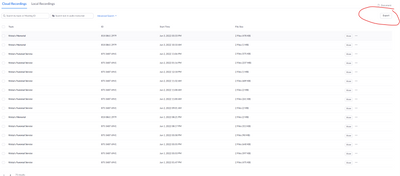
Missing Mp4 Recorded File, Other Meetings and Files Went Fine!

Hello all! I'm pretty frustrated because I recorded three meetings the same way, but the Mp4 (video) file is missing for one of them, both in the browser portal and the app. Anyone know how I can retrieve it??


Thank you,

Meg

reply-icon Latest Reply - 

New user: did I set myself up for a keylogger or worse?

Hi, I used Zoom on a one-on-one meeting with a business instructor last night. The man wanted me to share my screen. I clicked on the pop-up to allow it. Then, he started moving my mouse and clicking things on my desktop. I thought that he would only... Show more

Hi,


I used Zoom on a one-on-one meeting with a business instructor last night.


The man wanted me to share my screen. I clicked on the pop-up to allow it.


Then, he started moving my mouse and clicking things on my desktop.


I thought that he would only see my screen and that I would click on the needed links, etc.


Did I set myself up for him installing a keylogger or worse?


Is there any way he can regain access to my desktop? If yes, how do secure it?


Also, I didn't see a better board to post this on. If I posted on the wrong board, please let me know and I'll move it.


Thank you!


Show less

agendar duas reuniões no mesmo horário

É possível eu agendar (e realizar) duas reuniões no mesmo horário pelo Zoom?

reply-icon Latest Reply - 

Sound gets cancelled when I’m teaching dance

Help! I teach flamenco dance on zoom. It was all working fine until 3 weeks ago. Now when I clap or stamp the sounds cuts out!!at first just on my laptop but now on my mobile too. Laptop is Microsoft mobile is apple so figure it’s definitely an issue... Show more

Help! I teach flamenco dance on zoom. It was all working fine until 3 weeks ago. Now when I clap or stamp the sounds cuts out!!

at first just on my laptop but now on my mobile too. Laptop is Microsoft mobile is apple so figure it’s definitely an issue with zoom itself. 
I hadn’t changed the settings for sound on my meetings. I’ve looked at the settings and can’t see anything extra to do. 
contemplating switching to another platform unless can sort this by Friday. Thanks for any ideas…@dance @echo @sound


Show less

reply-icon Latest Reply - 

Upgrade to Pro Plan from free.

Currently I have two IDs and two mail addresses registered for free service. Will this affect purchase of upgrade plan?

If so, how it affects on purchase?  Really appreciate any feedbacks.

reply-icon Latest Reply - 

Resolved! Clarity on non-reoccuring meetings 30 day expiration question

Question: Will the 30 day expiration for a non reoccurring meeting clock start if someone launches the meeting and the meeting is scheduled past 30 days out. Scenario: Someone accidentally clicks or tests the meeting link and launches the meeting or ... Show more

Question: Will the 30 day expiration for a non reoccurring meeting clock start if someone launches the meeting and the meeting is scheduled past 30 days out. 

Scenario: Someone accidentally clicks or tests the meeting link and launches the meeting or allow participants to join is checked in settings (no time limit before meeting selected).  Say someone starts the meeting or goes into the waiting room - does this trigger the 30 day expiration clock (even if the meeting is say 60 days out)?


In the Support article the definition on Non reoccurring meetings expiring in 30 days either 30 days after the meeting or if the meeting was launched:

Scheduled, non-recurring meetings

  • A scheduled, non-recurring meeting ID (also known as a one-time meeting ID) will expire 30 days after the scheduled date. If you restart the same meeting ID within the 30 days, it will remain valid for another 30 days.
  • Scheduled meetings can be started at any time before the scheduled time as long as the meeting ID is not expired or deleted.

https://support.zoom.us/hc/en-us/articles/201362373-Meeting-and-Webinar-IDs


Thanks!


Show less

reply-icon Latest Reply -