Zoom Meetings
cancel
Showing results for 
Search instead for 
Did you mean: 

What are Zoom Meetings?

Zoom Meetings are a simplified video conferencing solution for an optimized virtual meeting experience. Explore the Zoom Community's Recent Activity below to join the Meetings conversation and connect with other members. If you're still looking for support, browse our Zoom Meetings support articles or start a new discussion below!

Recent Activity

Becoming the focus of attention

Hey there helpful people!I'm using the web app on Chrome OS. I am logged into Zoom (basic free membership), audio settings set to "Automatically join audio by computer when joining a meeting" and "Mute my microphone when joining a meeting", and video... Show more

Hey there helpful people!

I'm using the web app on Chrome OS.   I am logged into Zoom (basic free membership), audio settings set to "Automatically join audio by computer when joining a meeting" and "Mute my microphone when joining a meeting", and video settings set to "Turn off my video when join a meeting".

I join a daily meditation zoom every morning.  The host lets me in a couple of minutes before the meeting starts, and invariably my Zoom name becomes the featured image on everyone's screen, until the actual meeting starts when the host's video becomes featured.  I don't want this notoriety, and just want to be one of the humble thumbnails, like the other meeting attendees.  I've tried everything I can to not have my name become the featured image, but nothing works. This hiccup doesn't happen to anyone else, just li'l ol' me.

Any ideas you might have to fix this issue would be greatly appreciated!!

(note:  I've also tried changing the audio settings to NOT join audio by computer when joining a meeting, but that doesn't help).


Show less

Resolved! Downloading recordings.

Hi. I'd like to know if there's something I can do so that my students CANNOT download recordings. I mean; I want them to watch the recordings online BUT I have to limit the possibility of downloading and sharing them offline. Thank you.

reply-icon Latest Reply - 

recaptcha error in registration on invitation

Invitation is not working with recaptcha format. Unable to register with the Personal Meeting for Wednesday Thursday June 15 6 pm PST meeting. I am the creator and was wondering if others are having the same problem. It is in a circle where it will c... Show more

Invitation is not working with recaptcha format. Unable to register with the Personal Meeting  for Wednesday Thursday June 15 6 pm PST meeting. I am the creator and was wondering if others are having the same problem. It is in a circle where it will continuously ask for recaptcha verification and will not registered. I am the creator of the meeting and tested the received email with invitation under personal email and the verification is not working. Anyone else having the problem 


Show less

reply-icon Latest Reply - 

I can't see and download files that teachers send directly on Zoom on my phone.

How to see and download the teacher's files on my phone?

reply-icon Latest Reply - 

download videos with different audio

Hi everyone, I have a video that was shared to me, they recorded on the cloud.This video has different language versions, but I can only download the original one and not the translated one, instead I can choose to listen to it in all languages from ... Show more

Hi everyone, I have a video that was shared to me, they recorded on the cloud.
This video has different language versions, but I can only download the original one and not the translated one, instead I can choose to listen to it in all languages from the appropriate button with the globe.
Is there a way to download the video in the language I want?
Thanks in advance for your answers.


Show less

Resolved! Recorded Meeting

I recorded a meeting and now when I go to view the meeting it says I can only view or download from the computer it was recorded on. I only have one computer so I am not sure why I am getting this error message. It then prompts me to log in to my acc... Show more

I recorded a meeting and now when I go to view the meeting it says I can only view or download from the computer it was recorded on. I only have one computer so I am not sure why I am getting this error message. It then prompts me to log in to my account, however, I am already logged in. 


Show less

reply-icon Latest Reply - 

The meeting number is wrong.

I am following zoom/meetingsdk-vuejs-sample, but I am getting the error "The meeting number is wrong.". I have created the room, and filled in the correct config. My signature : "eyJhbGciOiJIUzI1NiIsInR5cCI6IkpXVCJ9.eyJzZGtLZXkiOiJWWm04UzhrNVF4MmpOM0... Show more
I am following zoom/meetingsdk-vuejs-sample, but I am getting the error "The meeting number is wrong.". 
I have created the room, and filled in the correct config. 
 
My signature : "eyJhbGciOiJIUzI1NiIsInR5cCI6IkpXVCJ9.eyJzZGtLZXkiOiJWWm04UzhrNVF4MmpOM0hicjlTQkxnIiwiaWF0IjoxNzA4Njg1Mzc2LCJleHAiOjE3MDg2OTI1NzYsImFwcEtleSI6Il ZabThTOGs1UXgyak4zSGJyOVNCTGciLCJ0b2tlbkV4cCI6MTcwODY5MjU3Nn0.FarzWuYSSCwZ5HPVsl_hWijri6cOrLddAA-28MVBdZc"
My config: 
var authEndpoint = 'http://localhost:9999'
var sdkKey = 'VZm8S8k5Qx2jN3Hbr9SBLg'
var meetingNumber = "83075661447"
var passWord = '9999'
var role = 0
var userName = 'nhannd99'
var userEmail = '***********'
var registrantToken = ''
var zakToken = ''
var leaveUrl = 'http://localhost:5170/'
 
Looking forward to the support of the anyone. Thank you very much.

Show less

reply-icon Latest Reply - 

Echo while sharing content from HDMI

Hello everyone, I recently faced an issue at 3 different customer locations but exactly same problem. While the content with & without audio is shared from HDMI cable in zoom room set up, we hear background garbled audio & remote locations hear simil... Show more

Hello everyone, I recently faced an issue at 3 different customer locations but exactly same problem. While the content with & without audio is shared from HDMI cable in zoom room set up, we hear background garbled audio & remote locations hear similar/echos. If any other participant shares content, then no problem at my site as well as all other locations.

Does anyone have any idea on this how to resolve!

Thanks Vishal    


Show less

reply-icon Latest Reply - 

Resolved! Hiding the (annoying) screen sharing control bar with Linux client

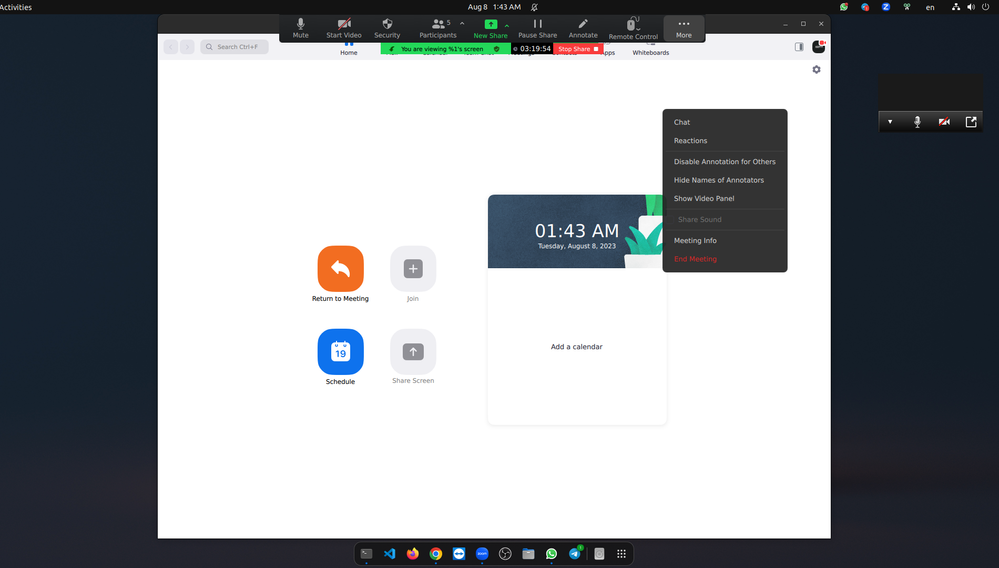
Under Windows it is easy to hide the (annoying) control bar that appears with screen sharing. In the Linux version (V. 5.7.6, running under MX Linux ) the drop-down menu for that bar does not include the option to hide the (annoying) control bar. I f... Show more

Under Windows it is easy to hide the (annoying) control bar that appears with screen sharing.  In the Linux version (V. 5.7.6, running under MX Linux ) the drop-down menu for that bar does not include the option to hide the (annoying) control bar. I found that I can put it at the bottom, which helps, but it still covers part of my slides.  The keyboard shortcut does meant for hiding the (annoying) control bar does not work.

    Any idea how I could get rid of the (annoying) control bar?


Show less

reply-icon Latest Reply - 

Resolved! Multiple meetings on one paid account

Greetings.  I'm wondering if, with one paid Zoom account, I can assign users who could then host meetings while I am hosting a meeting as the admin on that same paid Zoom account (at the same time).  Is that possible?

reply-icon Latest Reply -