

Translated captions | Community
Skip to main content
Newcomer
November 29, 2022
Solved

Translated captions

  • November 29, 2022
  • 3 replies
  • 1 view

Hi, I have applied a trial version of Zoom One Business Plus, which in theory can use translated captions.

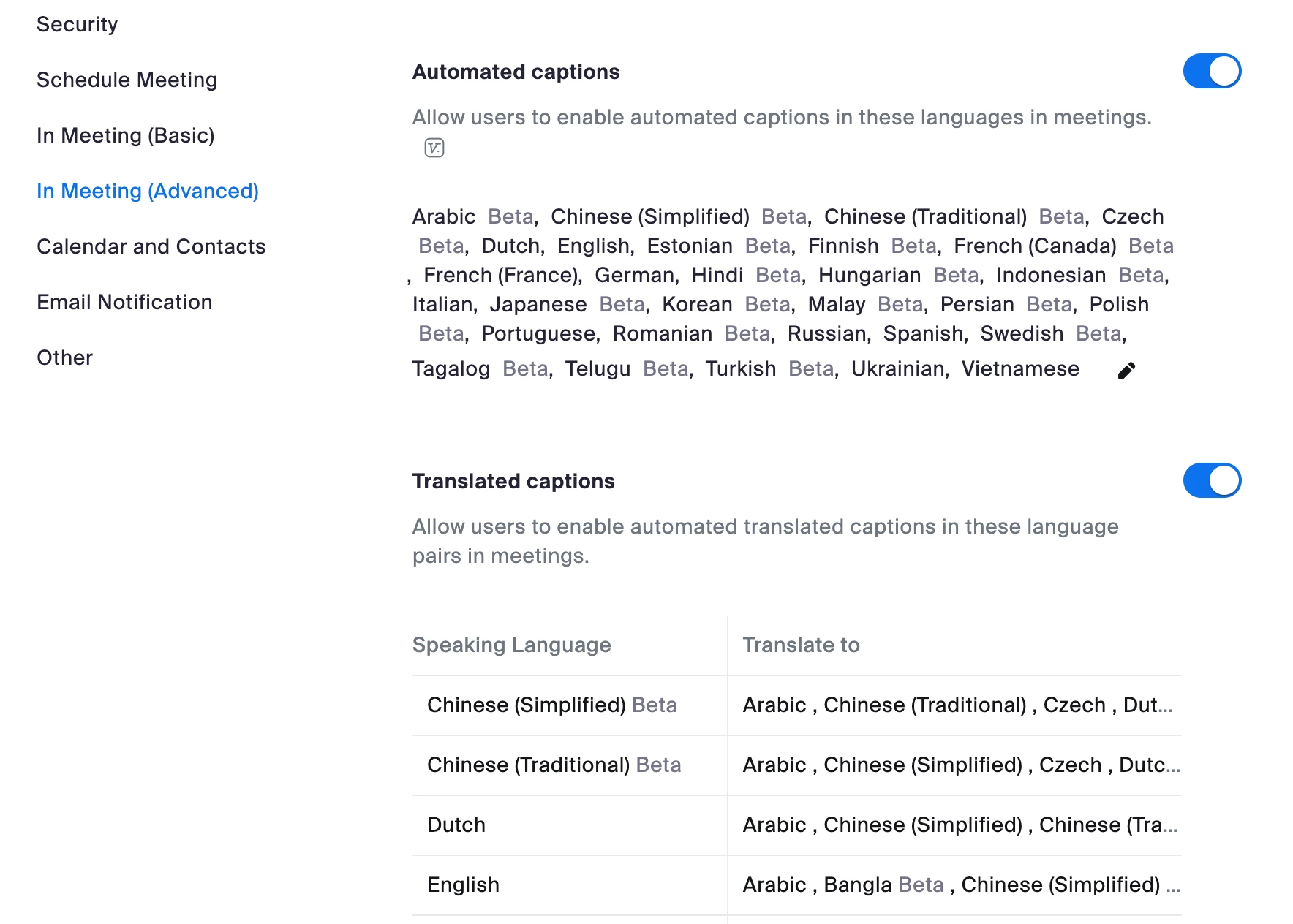
I have set according to the Support and enabled "Translated Captions".

However, there is no "Translating to" under the "Show Captions".

Does this mean that my license cannot use the translated captions? If so, how can I set "enable the translated captions" in my accounting settings?
 

 @Jing @ZOT 

    Best answer by Jing

    Hi


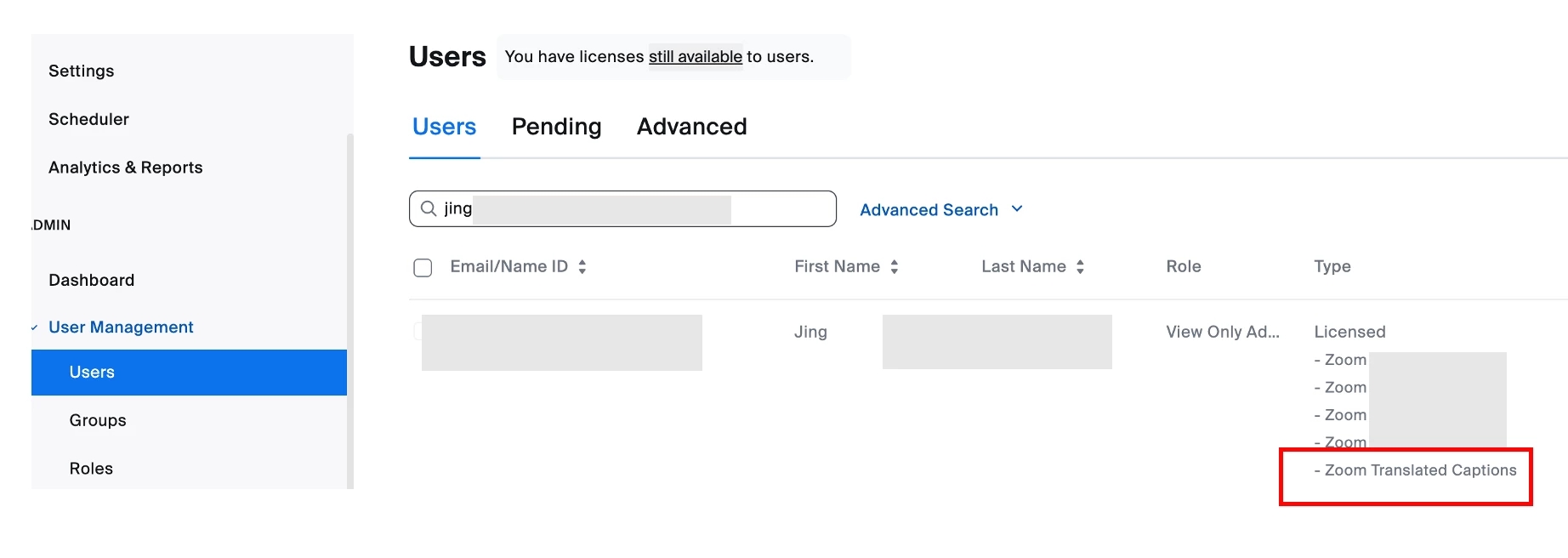
    Please assign your license to the specific user who you want to enable for this Translated Caption.

    Can you try to assign the license from [User Management] > [users] tab?

    This is the sample of my account.


    Thanks,

    Jing


    3 replies

    Community Champion | Employee
    November 29, 2022

    Hi 


    Good day!

    Please double check this manual since you need to enable for the account level and user level.

    If it is not displayed from your account level, it means your license are not available now.

    Please try to contact the Account manager who help you enabled your trial account.

    Since AE has the authority to grant it for you.


    Enabling and configuring translated captions

    https://support.zoom.us/hc/en-us/articles/6643133682957


    Thanks,

    Jing

    Newcomer
    November 29, 2022

    Hi!

    Thank you very much for your prompt reply!

    I found that I  needed to assign the authority to the user level.  It worked.

    Thank you very much!

    Newcomer
    April 18, 2023

    Hi ! I have the same problem... I activated the translated captions for the account, but when I went to user account setting, the translated captions option was not there ( see pictures). Could you where you went exactly to give authtority to the user level? thank you 🙂

    JingAnswer
    Community Champion | Employee
    April 18, 2023

    Hi


    Please assign your license to the specific user who you want to enable for this Translated Caption.

    Can you try to assign the license from [User Management] > [users] tab?

    This is the sample of my account.


    Thanks,

    Jing


    Newcomer
    April 18, 2023

    It's working!!!!!! thank you sooo much for the screenshots! I am super happy! Thank you Jing, you're the best!

    Community Champion | Employee
    April 19, 2023

    Hi NadineBe


    Thank you so much for your feedback.

    I am very happy to help and know it worked for you.


    Regards,

    Jing